I created a minimal StackBlitz reproduction for this issue in Handsontable v16 with React.
Problems observed:
With default:
dropdownMenu
={true}
filters={true}
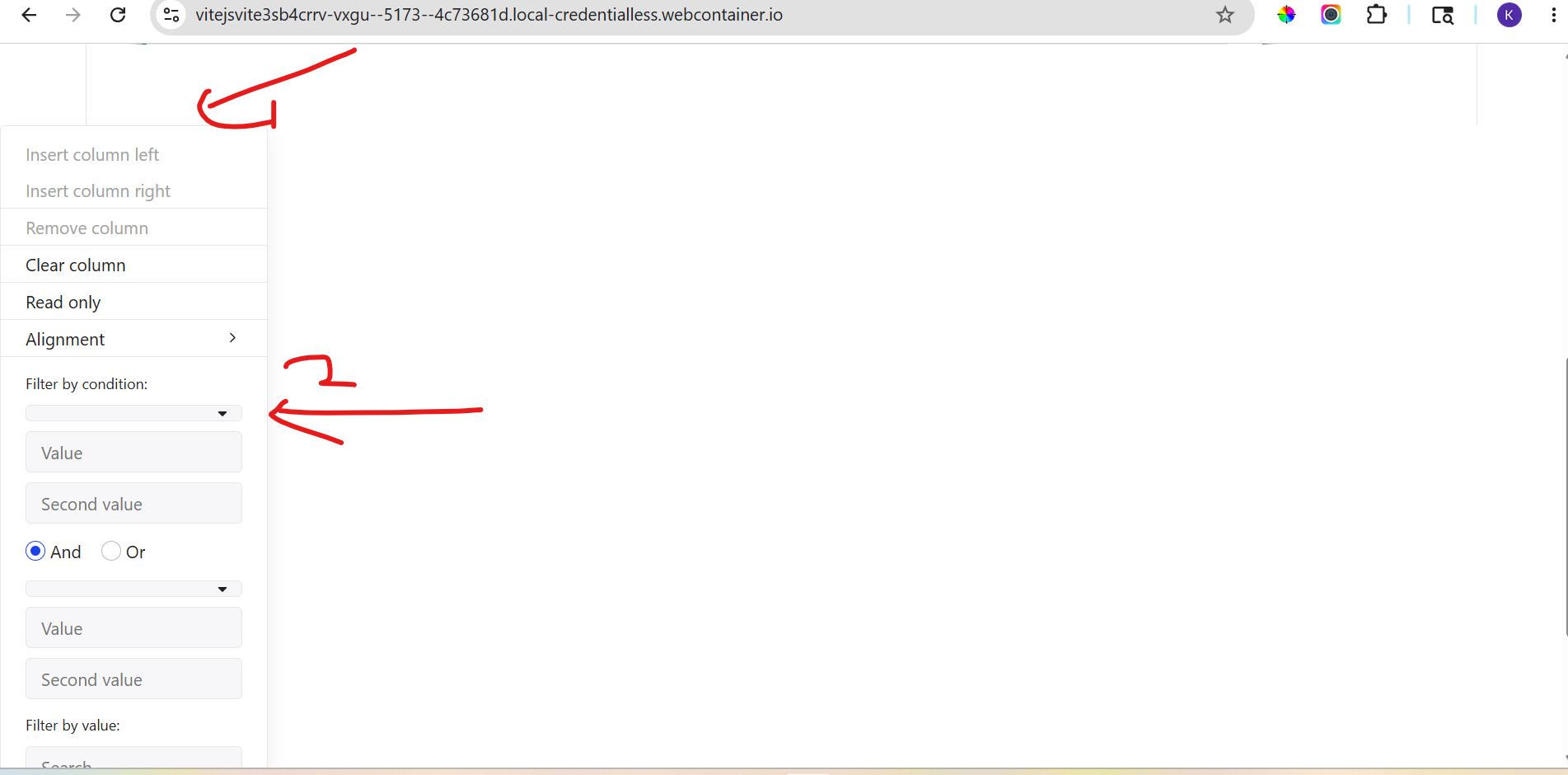
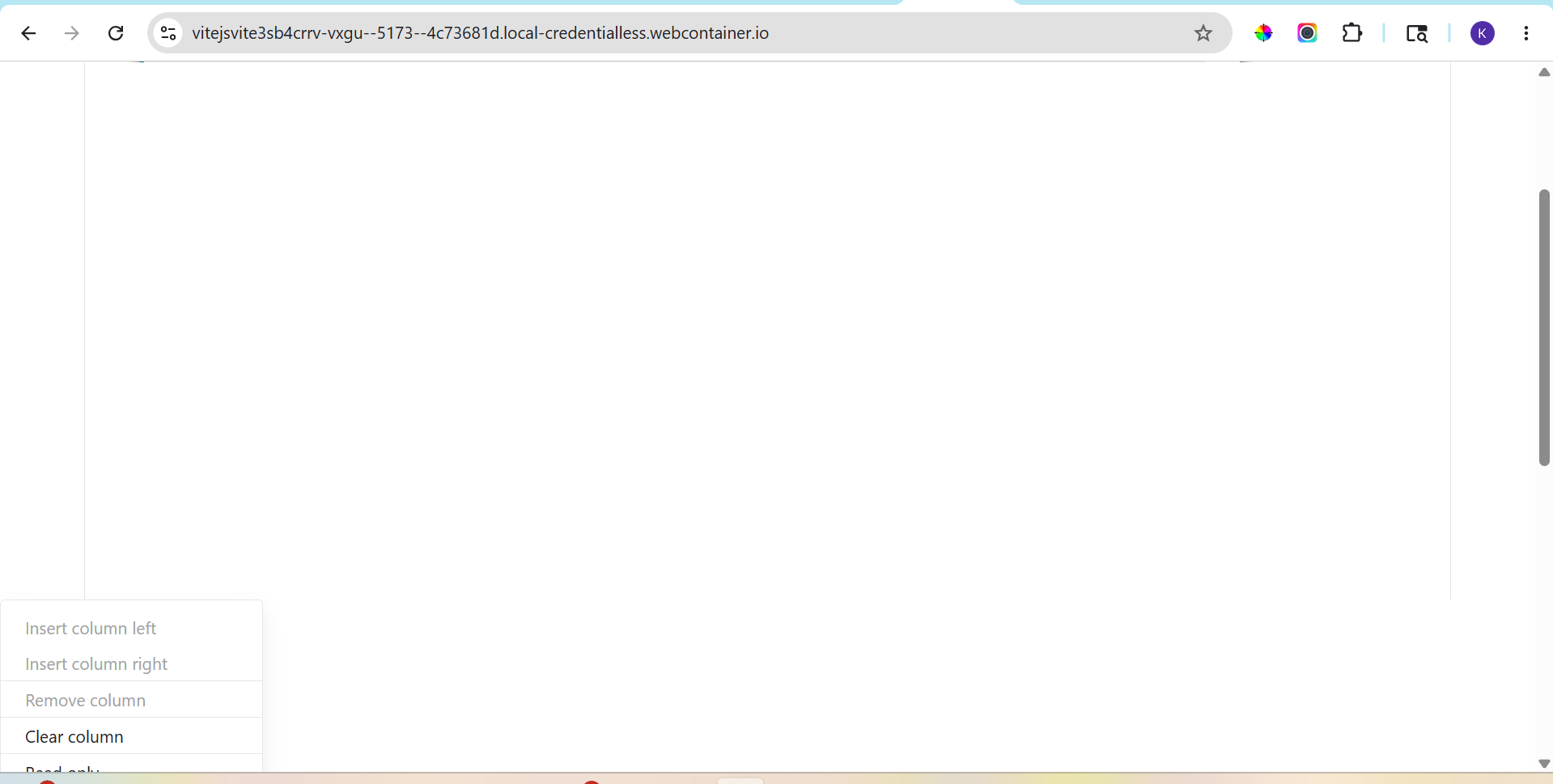
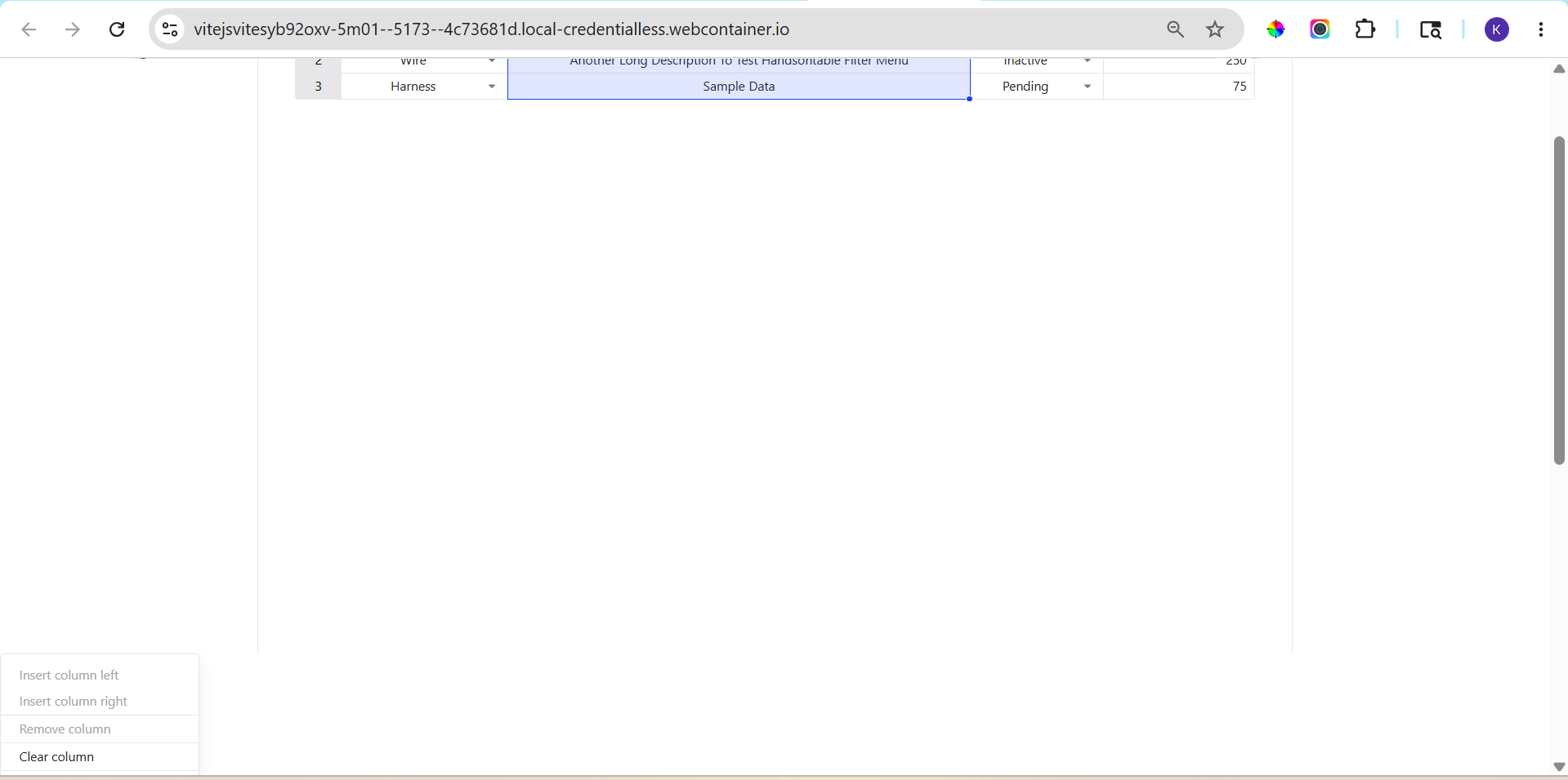
the dropdown/filter menu renders lower in the page instead of near the clicked column header.
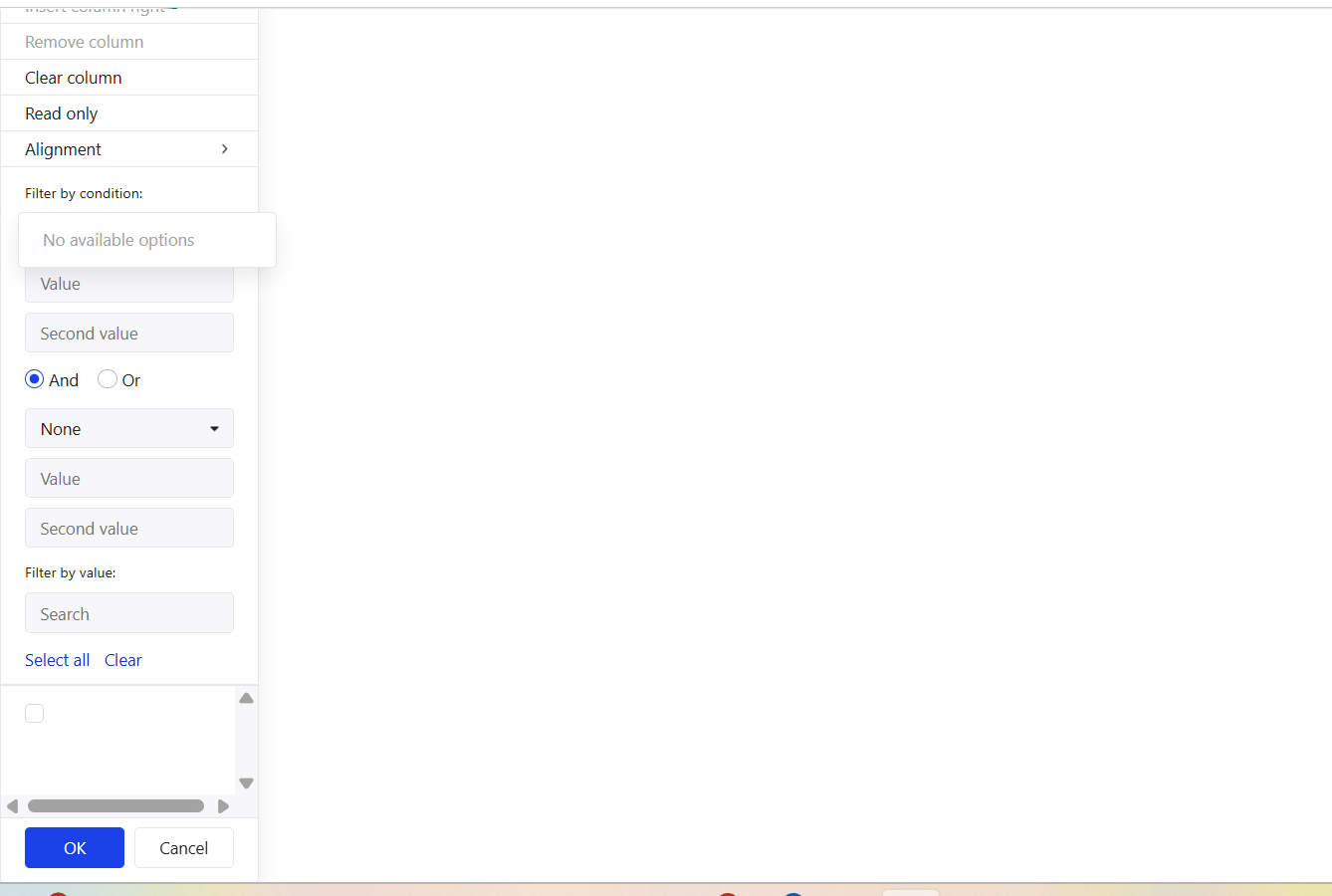
Filter conditions are not showing correctly.
Begins with
Contains
Equals
Greater than
But the dropdown appears blank/misaligned.
Entered filter values are also not visible properly inside the filter inputs.
Filter values list at the bottom is also rendering incorrectly.
Environment:
Hi @kranthikumar.reddy32 , two small fixes in App.tsx:
The theme is imported but never activated, which is why the conditions list, input text, and values list all render unstyled:
 <HotTable
+  themeName="ht-theme-main"
   data={data}
   ...
 />
The menu opens below the fold because of the scrollable wrapper:
<div style={{ padding: '40px', height: '100vh', overflow: 'auto' }}>
In v16 the dropdown menu positions itself with window.scrollY, which stays at 0 because it’s the inner div that’s scrolling.
Either give the grid its own scroll:
-<div style={{ padding: '40px', height: '100vh', overflow: 'auto' }}>
+<div style={{ padding: '40px' }}>
   <HotTable
+    height={500}
     width="100%"
     ...
   />
 </div>
…or drop height: '100vh' and overflow: 'auto' so the page scrolls on <body> instead.
Hope this help! By the way, your StackBlitz has v17 of Handsontable with the @handsontable/react plugin for v16. If you want to test in v17, the plugin is @handsontable/react-wrapper.
@joseph.petty i updated changes as you suggested but still not working.
@aleksandra_budnik can you please support on this
Hi @kranthikumar.reddy32 , I found an existing issue for this:
opened 02:00PM - 17 Mar 26 UTC
bug
Reported
### Describe the bug
After updating to Vite 8 I get a crash when opening the fi… lter dialog:
```
Uncaught Error: Filter condition "eq" does not exist.
throwWithCause errors.mjs:12
getConditionDescriptor conditionRegisterer.mjs:36
getOptionsList constants.mjs:79
arrayEach array.mjs:154
getOptionsList constants.mjs:72
reset condition.mjs:208
setState condition.mjs:77
restoreState _base.mjs:109
restoreComponents filters.mjs:763
restoreComponents filters.mjs:759
_onAfterDropdownMenuShow filters.mjs:971
enablePlugin filters.mjs:272
fastCall function.mjs:295
run index.mjs:244
runHooks core.mjs:4897
_onMenuAfterOpen dropdownMenu.mjs:520
enablePlugin dropdownMenu.mjs:218
fastCall function.mjs:295
runLocalHooks localHooks.mjs:64
open menu.mjs:363
open dropdownMenu.mjs:353
_onTableClick dropdownMenu.mjs:447
registerEvents dropdownMenu.mjs:327
callbackProxy eventManager.mjs:52
addEventListener eventManager.mjs:62
registerEvents dropdownMenu.mjs:327
enablePlugin dropdownMenu.mjs:197
enablePlugin filters.mjs:279
init base.mjs:162
fastCall function.mjs:297
run index.mjs:244
runHooks core.mjs:4897
init base.mjs:172
BasePlugin base.mjs:131
fastCall function.mjs:297
run index.mjs:244
runHooks core.mjs:4897
init core.mjs:1198
HotTableInner react-handsontable.mjs:2211
React 19
performWorkUntilDeadline scheduler.development.js:45
require_scheduler_development scheduler.development.js:223
require_scheduler_development react-dom_client.js:244
__commonJSMin chunk-YKewjYmz.js:8
require_scheduler index.js:6
__commonJSMin chunk-YKewjYmz.js:8
require_react_dom_client_development React
require_react_dom_client_development react-dom_client.js:14375
__commonJSMin chunk-YKewjYmz.js:8
require_client React
__commonJSMin chunk-YKewjYmz.js:8
<anonymous> react-dom_client.js:14383
```
The problem exists both in dev and prod builds.
Below is an analysis by Claude. I can confirm that the workaround solves the issue.
## Root cause
Handsontable v17's `package.json` declares:
```json
"sideEffects": ["**/*.css", "./languages/*"]
```
This tells Rollup/Vite that all non-CSS, non-language modules are side-effect-free. However, the filter condition modules in `plugins/filters/condition/` register themselves into a global condition collection as a **side effect** on import.
## Workaround
Patch `node_modules/handsontable/package.json` to include the condition modules:
```json
"sideEffects": ["**/*.css", "./languages/*", "./plugins/filters/condition/**"]
```
Or disable tree-shaking for the entire package:
```json
"sideEffects": true
```
## Environment
- handsontable: 17.0.0
- vite: 8.0.0
### Video/Screenshots
_No response_
### Provide a link to the demo with the bug reproduction
_No response_
### Handsontable version
17
### Framework version
_No response_
### Your environment
Any
It’s a tree shaking issue that started with Vite 8’s more aggressive filtering. We have fix already in review here:
develop ← claude/gifted-volta-5spI2
opened 10:35AM - 26 May 26 UTC
## Summary
Two bugs fixed in the `/demo` page Stackblitz examples:
### Bug 1 —… React: empty screen in Stackblitz
`example2.jsx` and `example2.tsx` were manually mounting themselves via `ReactDOM.createRoot()` instead of exporting a default component. The Stackblitz-generated `main.jsx` does `import App from "./App"` (default import), so it received `undefined`, causing `React.createElement(undefined)` to throw.
**Fix:** removed manual mounting code, added `export default App` to both files.
### Bug 2 — JS + React: `Filter condition "eq" does not exist.` when opening dropdown menu
**Root cause:** Vite 8 / rolldown aggressively tree-shakes filter condition registration side effects. Each condition file (`equal.ts`, `empty.ts`, etc.) calls `registerCondition()` at module level. The `handsontable` package.json declares `sideEffects: ['**/*.css', './languages/*']`, marking all JS files as side-effect-free. Rolldown inlines the `CONDITION_NAME` string constants and eliminates the condition modules entirely — so `registerCondition('eq', ...)` never runs.
**Fixes:**
- `handsontable/package.json`: added `./plugins/filters/condition/**` and `./plugins/filters/logicalOperations/**` to `sideEffects` so future npm releases correctly preserve their registrations with Vite 8.
- `docs/public/example-tabs.js`: pinned Vite to `^5.4.0` for JS and React Stackblitz projects as a workaround for the currently published package (v17.1.0 on npm still has the old `sideEffects`). Can be reverted to `'latest'` once an updated package with the fixed `sideEffects` is published.
## Test plan
- [ ] Open the `/demo` docs page
- [ ] Click "Open in Stackblitz" on the **React** tab — verify the demo renders (not empty screen)
- [ ] Click "Open in Stackblitz" on the **JavaScript** tab — verify the demo renders
- [ ] In both demos, click the column header dropdown button — verify no console error and the filter conditions menu opens correctly
- [ ] Verify the `intl-date` column's dropdown shows date filter conditions (before/after/between etc.)
- [ ] Angular tab — verify still OK
Fixes DEV-1778.
[skip changelog]
---
> [!NOTE]
> **Low Risk**
> Docs and demo wiring plus a narrow package.json sideEffects expansion; no auth, security, or core runtime API changes.
>
> **Overview**
> Fixes the **React `/demo` StackBlitz** flow by aligning `example2.jsx` / `example2.tsx` with the generated `src/main.jsx`: manual `ReactDOM.createRoot` mounting and related imports/logging are removed, and **`export default App`** is added so the default import is defined.
>
> **StackBlitz project generation** (`example-tabs.js`) pins **`vite` to `^5.4.0`** (and **`@vitejs/plugin-react` to `^4.0.0`** for React) so newer Vite/Rolldown does not drop filter registration side effects while `handsontable` still marks most JS as side-effect-free.
>
> The **`handsontable` package** declares **`./plugins/filters/condition/**`** and **`./plugins/filters/logicalOperations/**`** under **`sideEffects`**, matching that bundler behavior for real consumers as well as docs demos.
>
> <sup>Reviewed by [Cursor Bugbot](https://cursor.com/bugbot) for commit 913b63684662cd614189d8f02aa0710016fc1654. Bugbot is set up for automated code reviews on this repo. Configure [here](https://www.cursor.com/dashboard/bugbot).</sup>
In the meantime, you can work around it by disabling tree shaking in vite.config.ts:
optimizeDeps: {
  include: ['handsontable', 'handsontable/base', 'handsontable/registry', '@handsontable/react-wrapper'],
  esbuildOptions: { treeShaking: false },
},
Then rm -rf node_modules/.vite and restart npm run dev so Vite re-bundles with the new config.
@joseph.petty Thanks for the update.
I added the suggested optimizeDeps configuration with treeShaking: false, cleared the .vite cache, and restarted the application.
I’ll verify the behavior and update here with the results.
Thanks for the support and clarification regarding the Vite 8 tree-shaking issue.
Could you please confirm once the official fix is released so that we can remove this temporary workaround and upgrade accordingly?
Yes, of course! I’m following the issue in GitHub and will update this thread as soon as the fix live.