Sort data alphabetically

Sorry for keeping you waiting @ykifahh

We had a 2-day workshop.

I’m glad that 16.1.1 works well for you. In general, the patch did not change anything in the plugin, but maybe there was a glitch with the documentation or the example. In the end, I am happy that the plugin works well.

When it comes to the dialog - did you try the afterLoadData() or afterChang() hooks?

Hello, thank you for your reply. Regarding pagination and preload, the issue was that I was using the old language file. After downloading the new one, everything worked fine.

Can you please provide me with simple example regarding the following

afterLoadData()
hot.getPlugin(‘loading’).show();
hot.getPlugin(‘loading’).hide();

The preloading works fine now, and I want to hide it once the data has fully loaded by using…
hot.getPlugin(‘loading’).hide();
Any sample would be helpful and thanks in advance:)

Ah I see. I’m glad it all works well now.

Here Handsontable example - JSFiddle - Code Playground is an example that uses afterLoadData hook to run Loading hide method. I added a 2-second delay to show the difference visually.

Thank you! Can I remove the setTimeout function? I don’t want to wait 2 seconds—once all the data is loaded, hot.getPlugin('loading').hide(); should run immediately.

I tried to remove the following from your example
setTimeout(() => {

hot.loadData(Handsontable.helper.createSpreadsheetData(10, 3))

}, 2000)

once I removed it, it keep loading and this
hot.getPlugin('loading').hide();

never executed
Best,

Sure, you can remove it - it will work the same way. I just wanted to show that there is a transition - for the eye. With these online demos, we can only “fake” data loading as it is already there in the same JavaScript file defined as a variable. But once you run it on the server with a lot of data (which generally would take seconds or longer), the transition should be visible.

Thank you. Could you please provide an example that doesn’t use the setTimeout function? I tried removing it, but it isn’t working on my side.

Sure, here you go https://jsfiddle.net/4gwahsyt/1/

I added comments, so it is easier to see what happens.

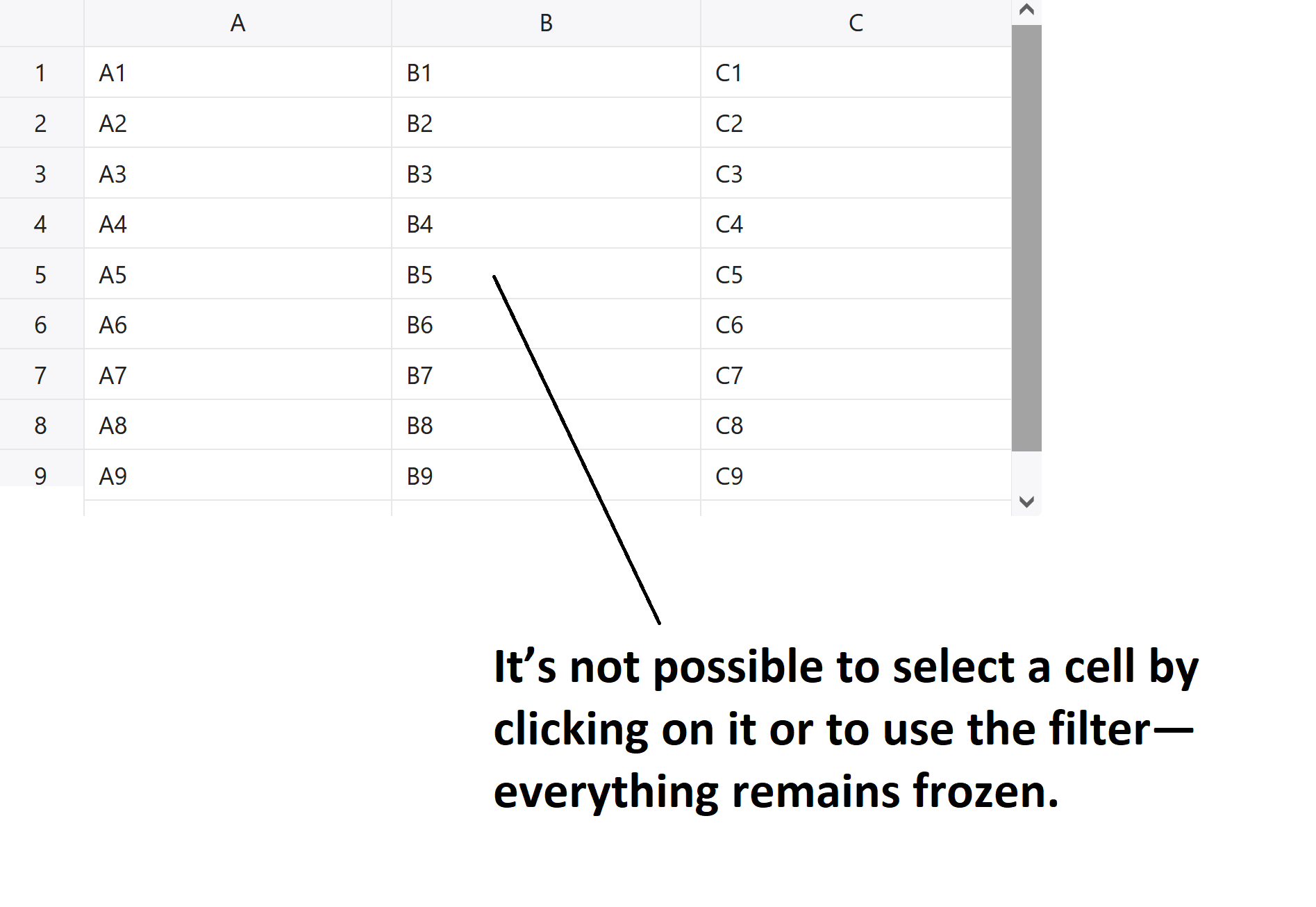
Thank you for your response. However, when I use this method, the entire table freezes, and I can no longer use the filters or select any cells. I’m not sure what the issue is. Also, in your example, once it’s applied, the table becomes frozen, and selecting cells or using filters is no longer possible. Could you please verify this on your side at your example?

I wish there is a simple way and the table would keep working, do I need to do this
hot.loadData(data) while the data is me dataset

Oh wow! You are right. This is surely unacceptable. I already reported it back to the team to fix it.

I will keep you updated.

Thanks and waiting for your update!

Hi @ykifahh

We just released v16.2.0 where this issue is fixed.

Here Changelog - JavaScript Data Grid | Handsontable you can read more about the changes.

Thank you for the Update. I was trying to follow your example but it still not working. Can you please provide me with simple example that work with preloading, right now I’m using this

const loadingPlugin = hot.getPlugin(‘loading’);

loadingPlugin.show();

hot.addHook(‘afterLoadData’, () => {

loadingPlugin.hide();

});
This function never executed

Thanks,

Same issue
It is keep loading and never execute this
hot.addHook(‘afterLoadData’, () => {

loadingPlugin.hide();

});

Hi @ykifahh

Please take a look at this demo Handsontable example - JSFiddle - Code Playground

I’m running the

hot.addHook('afterLoadData', () => {
  loadingPlugin.hide();
  console.log('Data loaded successfully');
});

Thank you for your quick responce. When I use the following code:

hot.addHook('afterLoadData', () => {
  loadingPlugin.hide();
  console.log('Data loaded successfully');
});

Is it necessary to use the function below in addition to the code above, or can I rely on the hook alone?

async function initializeData() {
loadingPlugin.show();
await new Promise((resolve) => setTimeout(resolve, 1000));
hot.loadData(data);
}
initializeData();

Hi @ykifahh

Sorry for the delay (we had Christmas off).

The function is only here to emulate the server data load and trigger the ‘show()’ method before the data is loaded. If you already connected Handsontable to the backend and request the data afterLoadData with loadingPlugin.show() is all you need. Then you can just load loadingPlugin.show() on initialization and

hot.addHook('afterLoadData', () => { loadingPlugin.hide() });

after initialization.

Thank you:)

1 Like