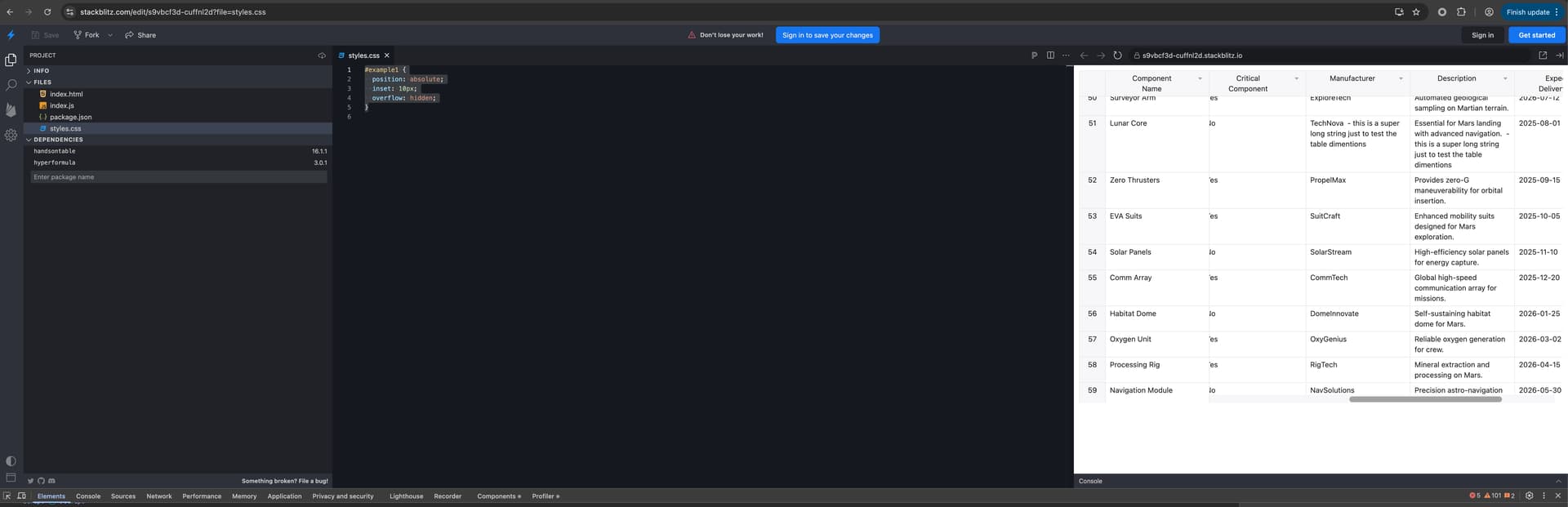
It seems that the DOM changes introduced in v16 broke the built-in auto resize functionality. During debugging I found that the root element (the div with .handsontable class) no longer resizes to fit the parent container - the wrapper divs do. Because of that, this width and height always remain the same, and so isSizeChanged always evaluates to false, and this code never executes.
There isn’t a demo online to showcase the problem, but it’s fairly easy to reproduce in the js/demo example available in handsontable repository: Just remove the hardcoded height of 450, and position the #example div absolutely to take the entire screen with overflow: hidden.
With the above setup, resizing the browser window will not resize handsontable with version 16, but works correctly if you switch to v15.
Thank you for reporting the issue and doing the investigation.
I tried to replicate the issue here handsontable (duplicated) - StackBlitz. But I did not get any odd behavior. Could you please specify if you used 16.1.1 (there was a small fix for autoRowSize in the latest patch). If that is the version you tested, please let me know:
if you are able to replicate the issue in the demo from Stackblitz I attached
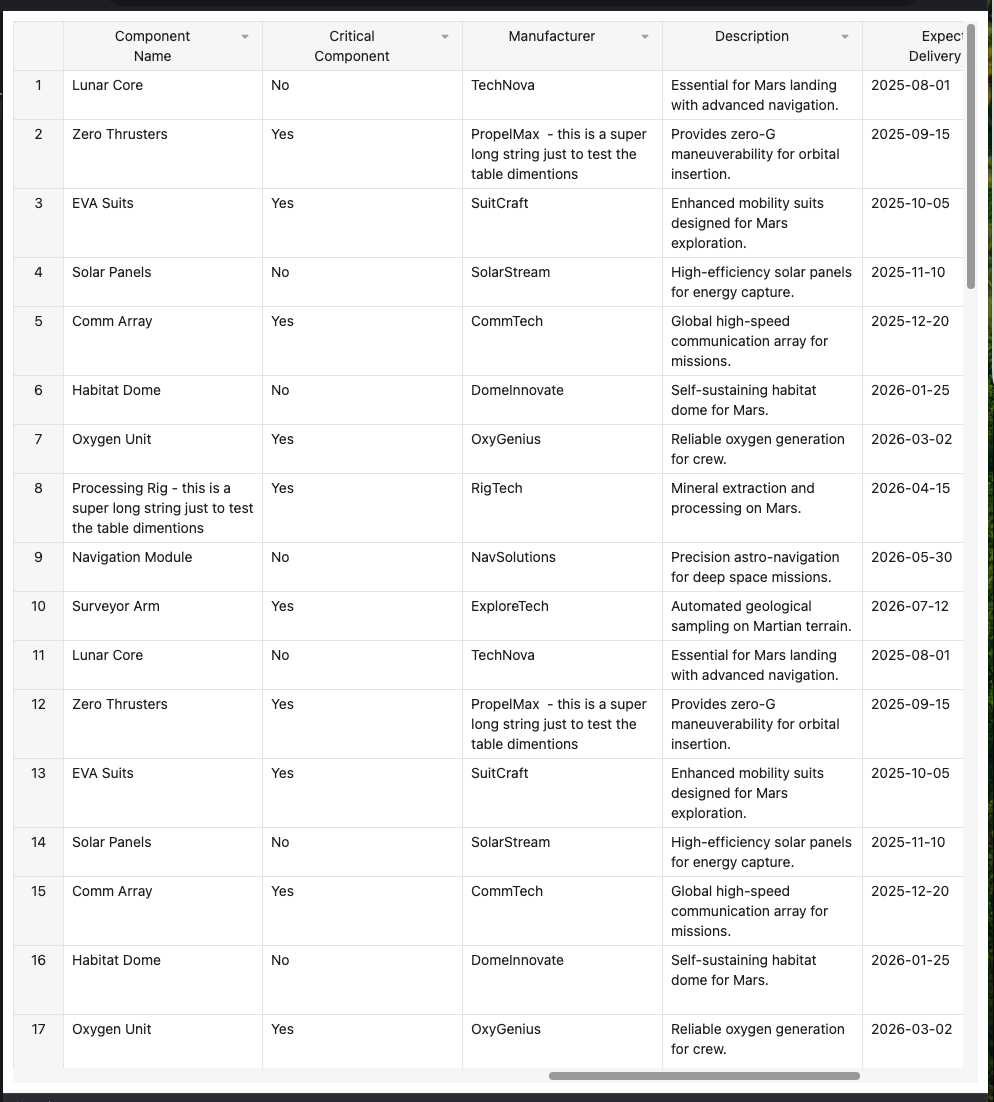
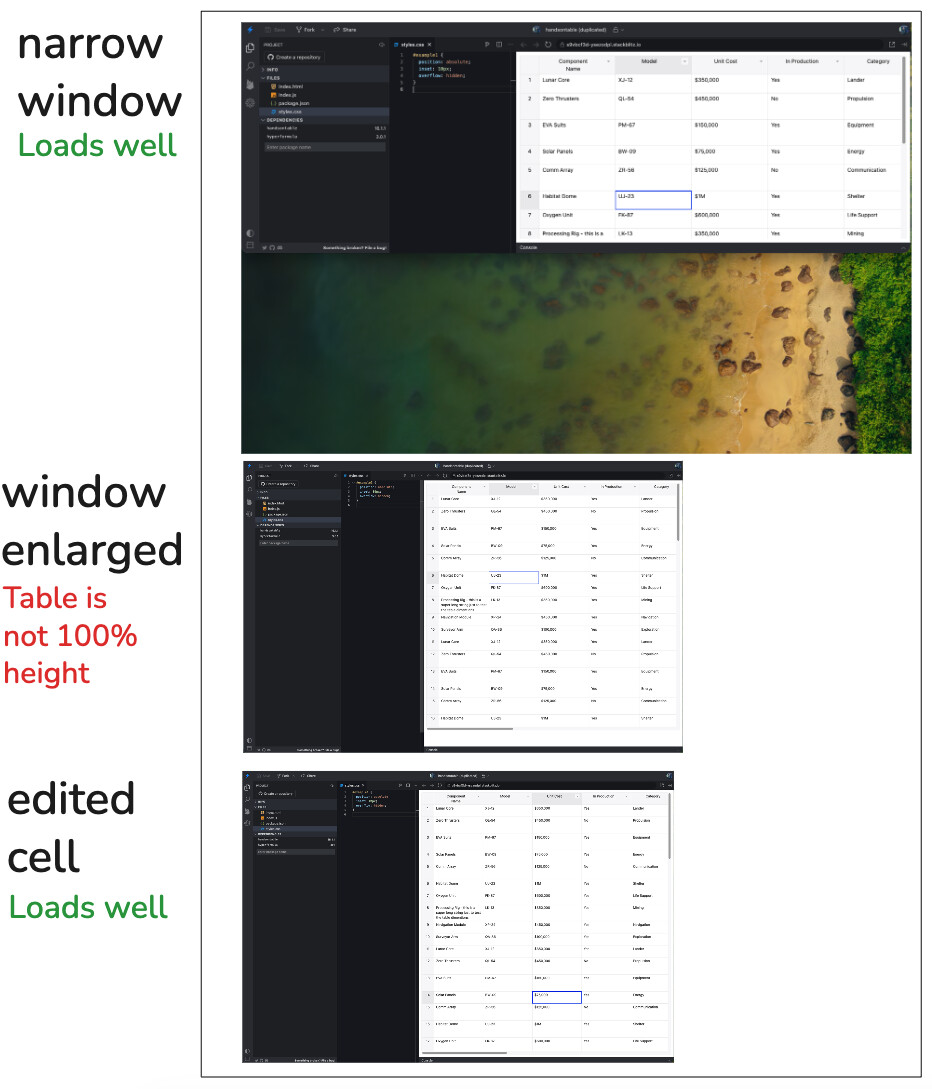
Do you use any browser zoom or system scale? It seems that zooming out 90% and in 100% produces the empty space below the table. But when user reloads the table it is fine.
Please try resizing the view that contains the table. The easiest way to do it is to start with your browser window covering only half of the screen vertically, and then drag-expand the window to full height. The table will have white space below.
Aleksandra is currently out of the office but this issue hasn’t been scheduled yet. We will update this topic as soon as we have any timeline for this fix.
We wanted to initiate this subject, but none of my colleagues, including myself, were able to replicate the issue. Could you please check how it works on the latest Chrome with the newest version of Handsontable?
I just retested with Version 142.0.7444.60 (Official Build) (arm64) and handsontable@16.1.1 and yes, the issue is still there. Please share my initial post with the developers, it has the problem description, the cause, and even the code location of the faulty logic. That should be enough for them.
Thank you for rechecking the issue. I will consult our QA Engineer once again. We cannot arrange a code review check with a developer before we specify on how to replicate the issue. But let’s see what we can do. I will keep you updated.
Sure. You have the steps on how you reproduced it the last time, and that surely still works (and you did reproduce it and even add screenshots of it in one of your posts above).