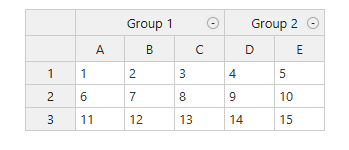
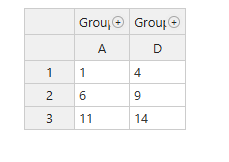
Hi, I’m using Handsontable with nested headers and the CollapsibleColumns plugin. By default, collapsing a group (e.g., “Group 1” with A, B, C) shows the first subcolumn (A), hiding others. I need to choose which subcolumn (e.g., B) remains visible, based on user preference.
I tried using ManualColumnMove with beforeColumnCollapse to reorder subcolumns, but it’s inconsistent. Is there a built-in option or reliable workaround to customize the visible column? Using version X.Y.Z—any suggestions or examples would help!
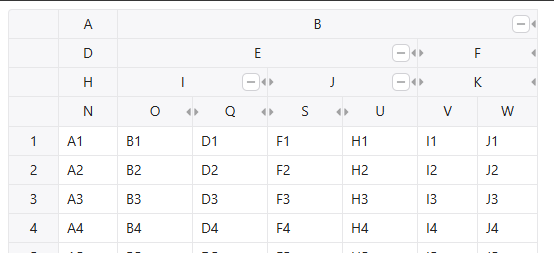
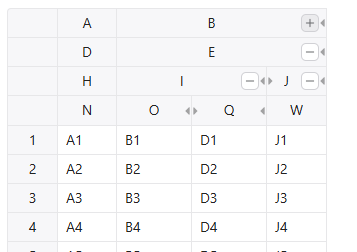
The example you provided essentially demonstrates the same behavior I mentioned earlier. However, my actual use case goes a step further. Using your example—when Column B is collapsed, I’d like to give the user the flexibility to choose which sub-column should remain visible. Currently, it defaults to showing only the first sub-column (i.e., Column E), but my goal is to allow the user to select which sub-column they want to see when the parent column is collapsed.