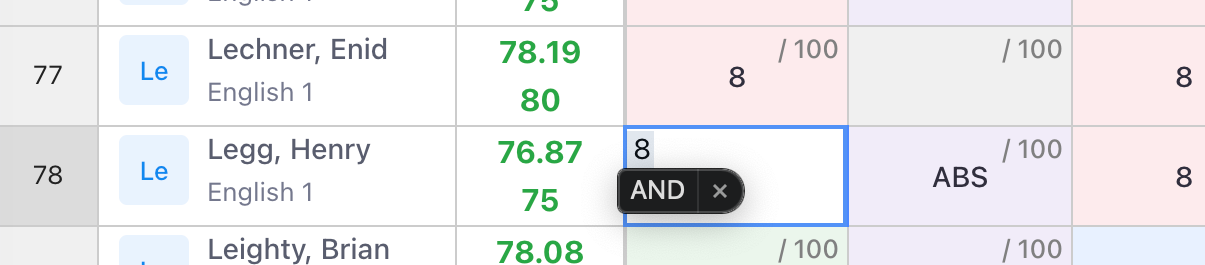
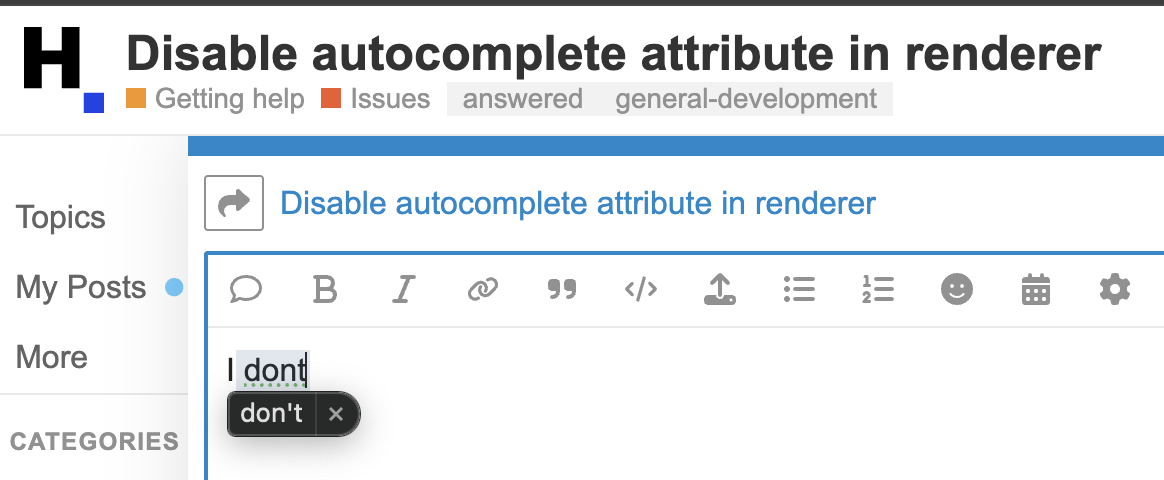
Im latest running mac os and chrome browser as of today.
My guess is that this is happening because I am not setting the TEXTAREA autocomplete attribute of the input early enough in the lifecycle. Is there an earlier hook I can call? How can I disable autocomplete?
This is how I have tried to kill autocomplete:
            this.hotSettings.afterBeginEditing = function (row, column) {
                // set default value for the cell

                if (headerRow && row === 0) return; // header row
                const cellValue = getInstance().getDataAtCell(row, column);
                const activeEditor = getInstance().getActiveEditor();
                if (!activeEditor) return; // no editor available
                activeEditor.TEXTAREA.setAttribute("autocomplete", "off");

                if (cellValue) {
                    activeEditor.setValue(cellValue);
                    activeEditor.TEXTAREA.select();
                } else {
                    activeEditor.setValue(''); // clear value
                }
            };
Your table looks heavily customized. This “AND” banner is not coming from Handsontable for sure and is not connected to any attributes. It had to be added on your side.
I was just typing a reply on your forums, and the block box came up.
I’m pretty sure it’s a MacOS autocomplete attribute. This forum looks heavily customized though. How did you add the black box, maybe then I can figure out how to remove it? lol just kidding
All jokes aside, is there an earlier hook I can call in the lifecycle to set this attribute? I’m using programmatic renderers without html templating, so I rely on the events and hooks. If I disable the code i posted above, specifically this line
Although I tried to call that line early in the lifecycle, it’s not early enough because when quickly entering data via the keyboard, sometimes system level autocomplete fires.
How can I disable autocomplete when using a programmatic renderer? Is there an earlier hook, or a workaround to get handsontable to add that autocomplete=“off” attribute on textarea creation?
I’m not sure if we understand the autocomplete as the same thing here. The banner, as you mentioned, is not coming from Handsontable but from the OS, and the autocomplete in Hadnsontable is a cell type. There is no autocompletion in Handsontable enabled by default if you mean this attribute: How to turn off form autocompletion - Security | MDN