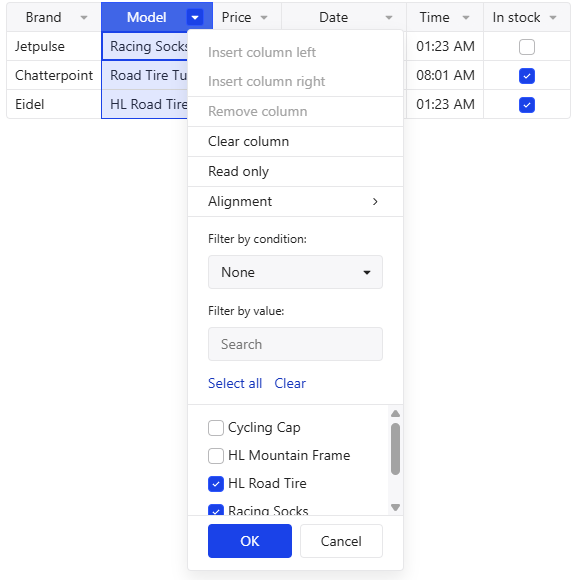
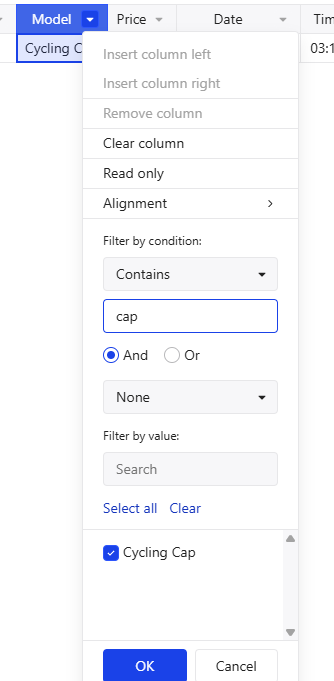
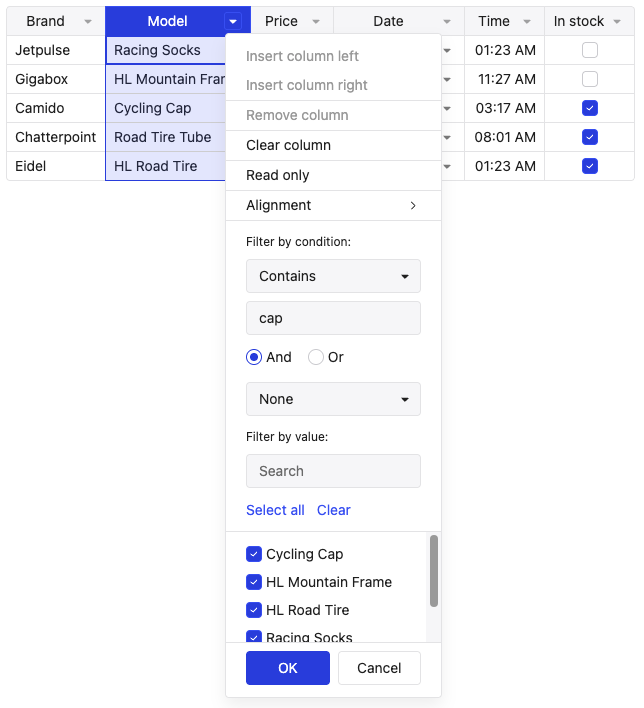
I’m afraid that this behavior might confuse the users since they are likely to mix the both filtering methods when they use it. Could you please check this behavior?
Thank you for reaching out to us. The list of the values serve as a preview to see all the option, then you can choose which values you want to filter and apply the changes by clicking “OK”. When I filter by condition I can see all values in the list. Can you please share what version of Handsontable you use?
The version that I used is 17.0.0 but the latest version 17.0.1 shows same behavior. Please check by following below steps. I used the demo from this example and did not modify any code.
Steps to reproduce:
Scenario using filter_by_value to filter
Uncheck any value from the Model column, then click OK
Click on the filter again, the filtered(hidden) value is visible
Scenario using filter_by_condition to filter
Change the condition to contains, type in any value (cap in my previous example) and click OK
Click on the filter again, only the Cycling Cap is visible in the list
Hi @hjeong1200 , thank you for reporting this issue and providing the steps to reproduce. I was able to reproduce it and I see what you mean about the other values disappearing.
I’ll create an issue and update this thread when I have more info. Thanks again for following up with more details.