Hi
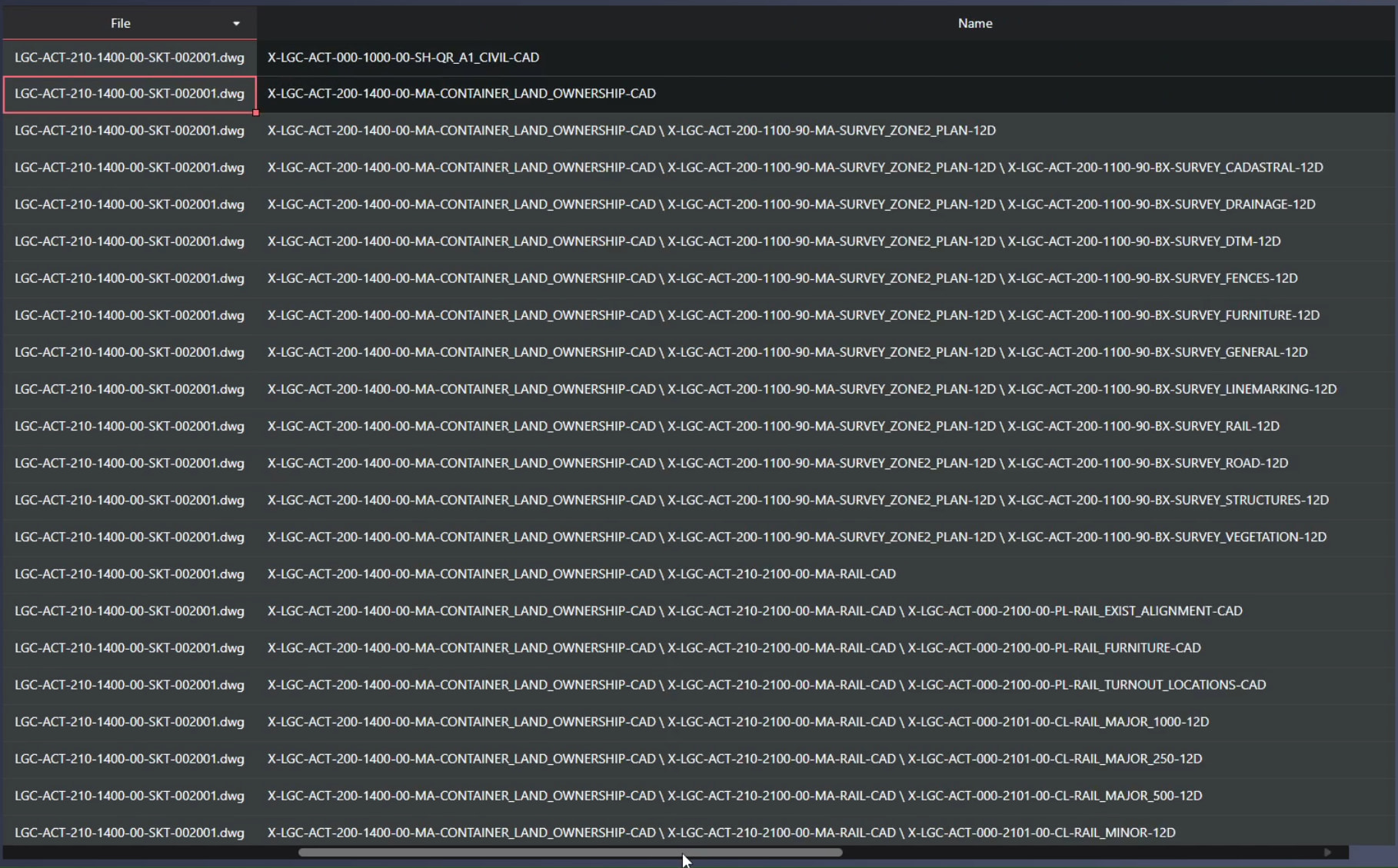
If I have a pinned column and it contains lots of data (see screenshot) it will obscure the rest of the table, including the vertical scroll bars, and I won’t be able to scroll horizontally past it. Which also means I can’t reach the resize handle to make it smaller…
Do you know some way to work around this issue? My initial idea is to unpin the column, but that’s not ideal in my case.
Here the grid has two pinned columns and a bunch of columns not available due to the Name column being wider than the screen:
If you have any ideas how to mitigate this I would love to hear them.
Here’s a reproduction: Handsontable 18.1.0 — pinned columns obscure data
Thanks!
Hi @mottosson,
Thanks for the clear reproduction. This is a known limitation: Handsontable always draws frozen columns in full. It never shrinks or scrolls them, so when their combined width exceeds the grid’s width they cover the entire viewport, including the scrollable area.
It’s tracked in GitHub #4259, and we recently documented it; the “Frozen area size limit” section will appear in the column freezing guide with the next docs release. An option to limit the frozen area to the viewport size is in our backlog, but there’s no date for it yet.
Until then, the practical workaround is to cap the width of pinned columns so they can never exceed the grid. You need two hooks: one for computed widths and one for manual resizing (the resize handle’s value would otherwise override the cap):
const PINNED_MAX_RATIO = 0.4; // per pinned column; keep the total under ~0.8

function capPinned(width, col) {
  if (col < this.getSettings().fixedColumnsStart) {
    return Math.min(width, Math.floor(this.rootElement.clientWidth * PINNED_MAX_RATIO));
  }
  return width;
}

new Handsontable(container, {
  // ...your settings
  modifyColWidth: capPinned,     // caps colWidths / autoColumnSize
  beforeColumnResize: capPinned, // caps drag-resize (return value replaces the new size)
});
I verified on 18.1.0 that this keeps the unpinned columns reachable, including when the user drags the resize handle wider.
Two extras that may help:
- If a grid is already stuck, the pinned columns remain interactive — with
manualColumnFreeze: true and contextMenu, right-click → Unfreeze column recovers it.
- For long text in the pinned column, a narrower width plus word wrapping (the default
wordWrap: true with autoRowSize) keeps the content readable without the column growing past the viewport.